
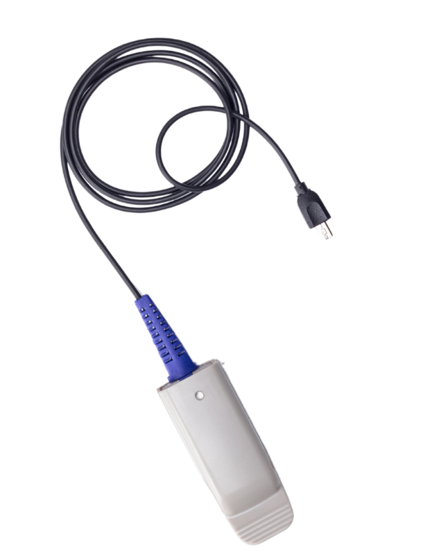
The SpO₂ smart sensor is a research-grade sensor designed to measure blood oxygen saturation (SpO₂) and pulse rate using photoplethysmography (PPG) technology.
The sensor uses optical light-based measurements to detect blood oxygen changes and cardiovascular pulse activity in real time, enabling reliable physiological monitoring during research, education, and experimental workflows.
This article explains how to set up and use the SpO₂ smart sensor with Biosignals PRO devices.
Compatible Systems
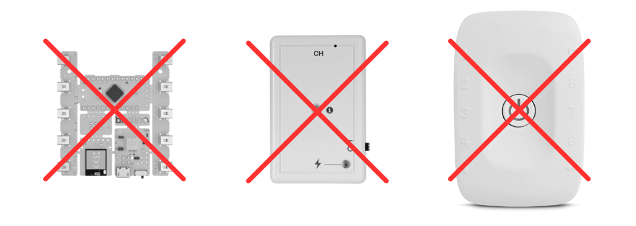
This sensor is exclusively compatible with Biosignals PRO systems.

This sensor is not compatible with any biosignalsplux or BITalino devices.
Recommended Setup
To complete this setup, you will need:
- 1x Biosignals PRO device
- 1x (or more) Blood Oxygen Saturation (SpO₂) smart sensor
- Biosignals Studio (Desktop)
Connecting the Sensor to Your Biosignals PRO
Connect the sensor to any of the available Biosignals PRO ports.
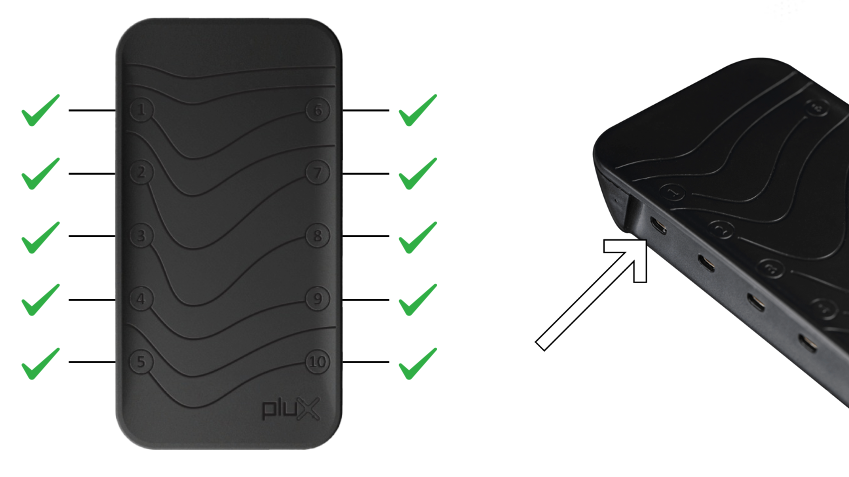
Once connected, the system will recognize the sensor, configure everything automatically, and activate it.
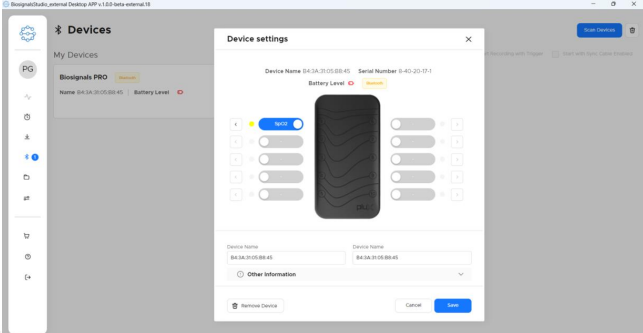
You can also see the sensor in the Biosignals Studio device settings, where it is listed as an SpO₂ sensor on the connected port.
Applying the SpO₂ Sensor
The SpO₂ sensor measures blood oxygen saturation and pulse signals using optical detection through the skin.
For reliable measurements, we recommend:
- Place the sensor on a finger: Preferably the index or middle finger
- Keep the hand relaxed: Minimize excessive movement during recordings
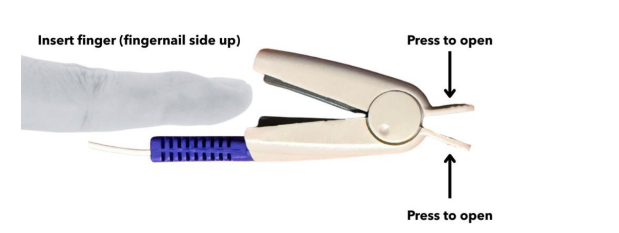
- Ensure proper contact: The finger should fit comfortably inside the clip sensor
- Remove nail polish if possible: Dark nail polish or artificial nails may affect signal quality
- Avoid strong ambient light exposure: Intense direct light may interfere with optical measurements
The example below shows a typical finger placement for SpO₂ monitoring.
Application tips 💡
SpO₂ signals are highly sensitive to motion artefacts and poor circulation.
For best recording quality:
– Keep the participant seated and relaxed
– Avoid excessive finger movement
– Allow a few seconds for signal stabilization before starting recordings
– Warm cold hands before measurements if circulation is reduced
Understanding the SpO₂ Signals
The SpO₂ smart sensor provides optical cardiovascular measurements derived from photoplethysmography (PPG) signals.
Typical outputs may include:
- Blood oxygen saturation (SpO₂)
- Pulse rate / heart rate
- Raw PPG waveform
The graph below shows typical raw PPG signals acquired with the SpO₂ smart sensor during stable recording conditions.

Raw PPG signals
Stable and regular waveform peaks generally indicate good signal quality and stable sensor positioning.
Irregular signals, low amplitudes, or unstable measurements may indicate:
- Excessive movement
- Poor finger positioning
- Weak circulation
- Ambient light interference
Blood Oxygen Saturation (SpO2) Values
The SpO₂ metric represents the estimated percentage of oxygenated hemoglobin in the blood, computed from the ratio between the red and infrared PPG signals.
The graph below shows a typical SpO₂ series recorded over time during stable recording conditions.
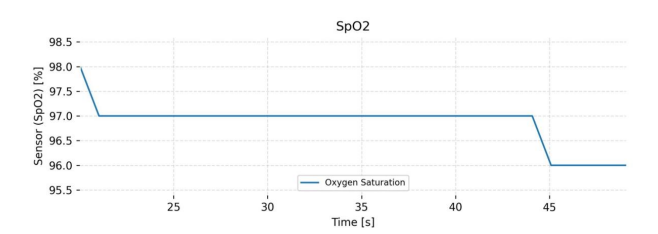
During steady-state conditions, SpO₂ values generally remain relatively stable, typically between 95% and 100% in healthy individuals.
Small fluctuations may occur naturally due to:
– Minor movement
– Sensor repositioning
– Reduced peripheral circulation
– Physiological variability
Occasional short drops or plateaus can appear if the PPG signal quality temporarily decreases due to movement artifacts or unstable optical contact.
These variations are normal and usually recover automatically once stable PPG signals are restored.
Recording Recommendations
For best results, we recommend:
- Record in a stable environment
- Avoid excessive participant movement
- Verify signal quality before starting long recordings
- Keep the sensor clean between sessions
- Monitor signal stability during acquisition
Motion Score
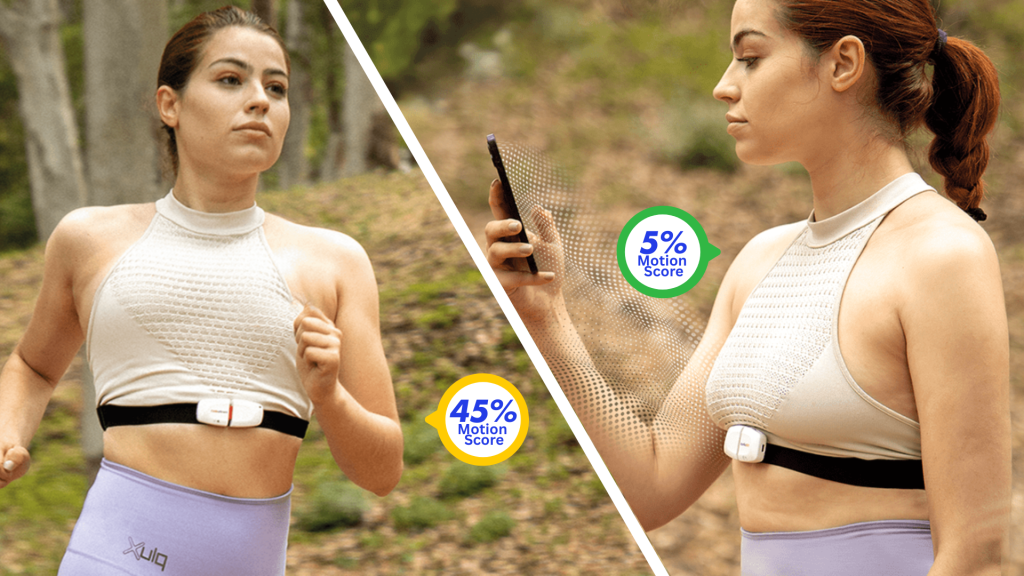
Motion Score is a computed metric available on all Biosignals PRO Smart Sensors.
It combines data from the sensor’s accelerometer and gyroscope to quantify motion intensity during a recording.
The resulting value is expressed as a percentage between 0% and 100% and provides an intuitive representation of the amount of movement. A higher Motion Score indicates more intense movement. For example:
- 0–10%: Rest or small involuntary movements (talking, coughing).
- 10–20%: Walking, spinning, or sleep-related movements.
- 20–40%: Fast-paced walking or jumping.
- 40–60%: Jogging or running.
- 60–80%: Fast running.
- 80–100%: Explosive movements with rapid deceleration (e.g., tennis strokes, punching).

This makes Motion Score useful for:
- Detecting movement artifacts that may affect other sensor readings (e.g., EMG, ECG).
- Assessing motion levels in a simplified way without needing to process raw IMU data.
- Comparing activity between different sensors placed across the body (e.g., arm vs chest).
Find our more details about the motion score here:
Expected Result
After completing the setup, the SpO₂ smart sensor should automatically appear in Biosignals Studio and start displaying live physiological signals and computed metrics.
Depending on the enabled outputs, you may observe:
– Raw PPG R and PPG IR waveforms
– Blood oxygen saturation (SpO₂) values
– Pulse rate / Heart Rate (HR)
– Motion Score values
Under stable low-motion conditions, the computed SpO₂ and Heart Rate metrics should become available after a short stabilization period of approximately 5–10 seconds.
