What products is this article for?
- biosignals PRO
- biosignalsplux sensors
Yes, Biosignals PRO is backwards compatible with a selection of biosignalsplux sensors using our Legacy Sensor Adapter.
This allows you to reuse your existing analog biosignalsplux sensors alongside Smart Sensors, taking full advantage of the Biosignals PRO’s features, without needing to replace your entire sensor collection.
Supported biosignalsplux Sensors
Biosignals PRO supports analog sensors of PLUX’s biosignalsplux Product line:
- Electromyography (EMG)
- Electrocardiography (ECG)
- Electrodermal Activity (EDA)
- Electroencephalography (EEG)
- Electrooculography (EOG)
- Electrogastrography (EGG)
- Blood Volume Pulse (BVP)
- Respiration (Inductive)
- Accelerometer
- Acoustic (ACT)
- Light (LUX)
- Goniometer
- Third-Party Analog Adapter
- Temperature (limited)
The following biosignalsplux sensors are not supported
Not supported sensors
- Force Platform
- Load Cell
- Force Sensitive Resistor (FSR)
- Breakout cable
- Respiration (Piezo-Electric) (PZT)
- Blood Oxygen Saturation (SpO2) Pulse Wave
- Functional Near-Infrared Spectroscopy (fNIRS)
Connecting Sensors to your Biosignals PRO
The use of biosignalsplux sensors on Biosignals PRO devices require the use of our Legacy Sensor Adapter.

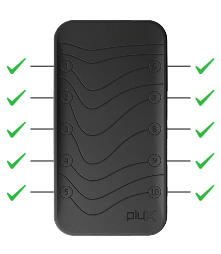
Connect the Legacy Sensor Adapter to any of the 10 available ports on your Biosignals PRO device and connect the biosignalsplux sensor to the other end of the adapter.
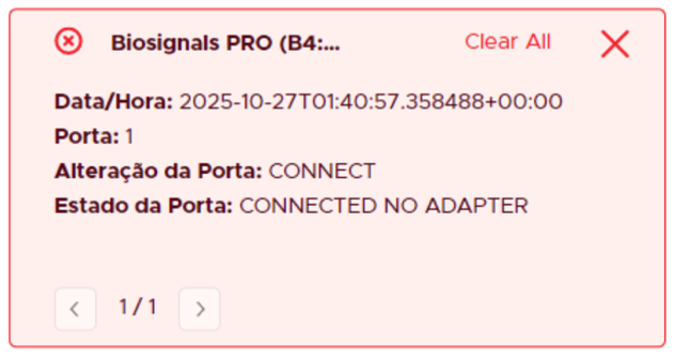
Connecting biosignalsplux sensors directly to your Biosignals PRO device causes no harm to the Biosignals PRO but will not have any effect, nor will it be possible to use the connected sensor.
In this case, Biosignals Studio issues an error message indicating that no Legacy Sensor Adapter is used.