
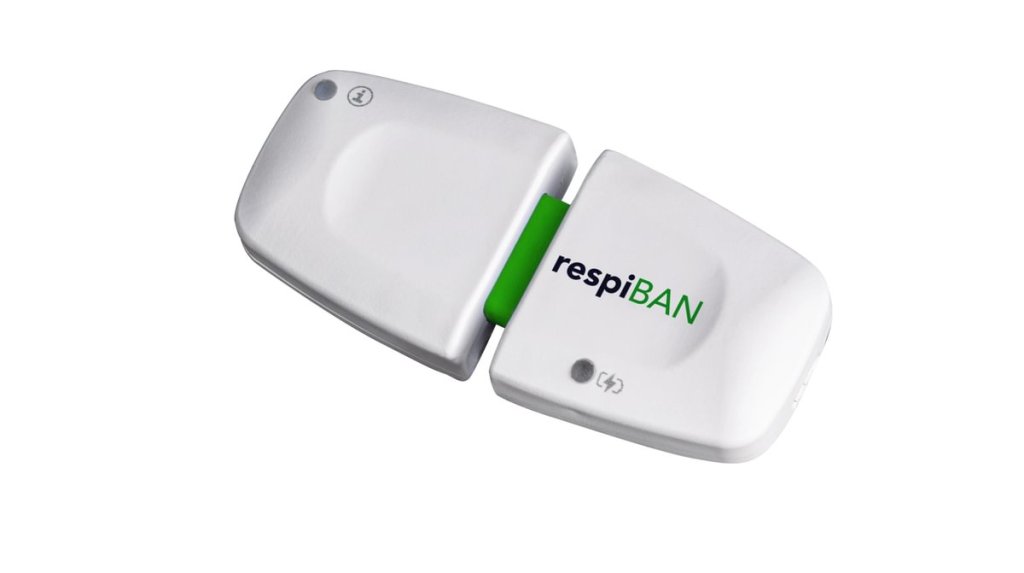
Introducing respiBAN BLE, your go-to wireless wearable for hassle-free respiration and motion data collection.
Designed with your comfort in mind, respiBAN is the solution for seamless research in any setting. Say goodbye to bulky, uncomfortable devices — respiBAN is designed to ensure user comfort, even during dynamic activities. Plus, it’s ready to use as a medical device OEM, and you can jumpstart your work. Talk to our team for more information.
Find the latest information about your kit content and product specifications on the product page and the wearable’s datasheet.
Device Interfaces
Turning the Device On & Off

Status & Battery Feedback LEDs
respiBAN comes with a status LED providing you feedback about the device states and a Battery LED providing you info about the device’s battery status.

Detailed information about the different states, LED colors, and respective device behavior can be found in the wearable’s datasheet.
Sensor Positioning
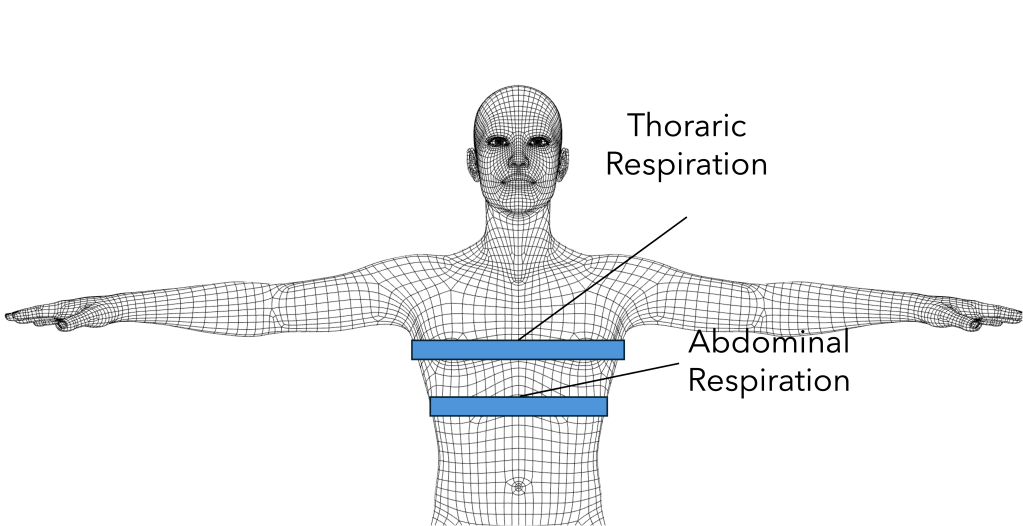
The respiBAN comes with an inductive respiration band that can be placed around the thorax or abdomen for respiration monitoring. The belt can be placed above the clothes and does not require direct skin contact.
For thoracic respiration, place the respiration belt around the thorax around the nipple line. For abdominal respiration, place the respiration belt below the ribcage.
Recording Signals with Biosignals Studio
This wearable is compatible with our Biosignals Studio app for Android* and the recorded sensor data can be exported for further analysis in our OpenSignals (Desktop) software.

*Apple & Windows operating systems support coming throughout
Step 1: Connect your respiBAN
Turn your wearable on and go to the Devices menu in Biosignals Studio. Your device should be listed shortly after entering the menu (press the Scan Devices to rescan if needed).

Press the respiBAN option in the Devices menu to enter the device settings. There you can de-/activate all sensors as needed and adjust the device name. Exit the menu by pressing the Save Settings button.
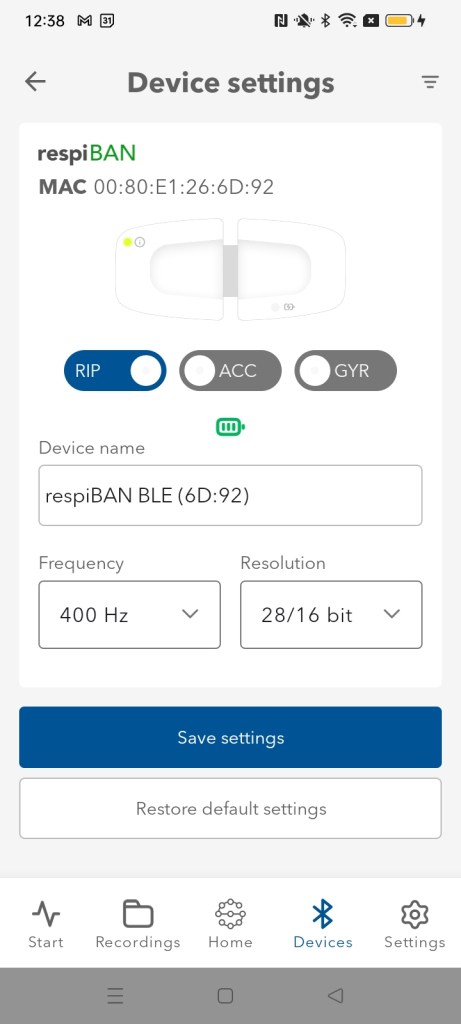
Note that sensor data for this wearable is recorded at a fixed 400Hz sampling rate and 28-bit resolution for the respiration sensor and 16-bit resolution for the motion sensors.
Step 2: Record Signals
You can find up-to-date instructions on how to record sensor data in OpenSignals
How to start a recording in Biosignals Studio (Mobile)?
Step 3: Visualize Signals in OpenSignals
You can find a step-by-step guide on how to open Biosignals Studio (Mobile) files in OpenSignals (Desktop):
How to view Biosignals Studio (Mobile) recordings in OpenSignals (Desktop)?
Sample Signals
The respiBAN’s primary respiration sensor allows you to measure different types, rhythms, and intensities of respiratory patterns and apnea phases.
The following signals were recorded using a respiBAN for thoracic respiration monitoring from a healthy adult.
The recordings of all displayed sample signals can be downloaded here.
Normal Breathing
Respiration cycles in respiration signals are characterized by periodic peaks and valleys in the signal.
Signal increases occur during the inspiration phase of the breathing cycle and peak at the maximum inspiration point. Signal decreases occur during the expiration phase of the breathing cycle and reach their minimum at full expiration.

During normal breathing, the frequency of the respiration cycles should be consistent with minor variations in length.
You can find further sample signals recorded with the respiBAN in the following article:
Sensor Specifications
All technical specifications and highlights are available in detailed form in the wearable’s datasheet:

