
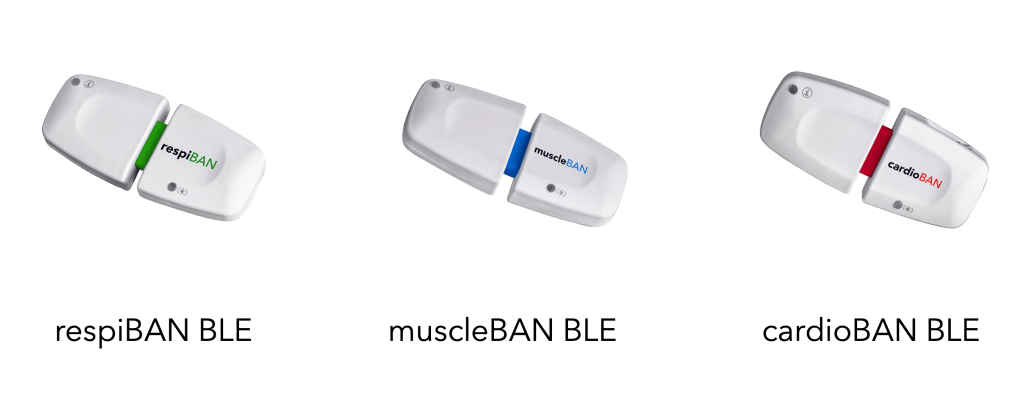
The firmware is the software that runs on your PLUX BLE Wearables (respiBAN BLE, muscleBAN BLE, and cardioBAN BLE), making it the brain of your data collections.
We recommend keeping your firwmare up-to-date with the latest version to get the most out of your wearable. In this article, you’ll learn everything you need to know.
What do I need for the firmware update?
1x Windows PC/Laptop

Our update tool works on Windows computers (support for other platforms is in the making).
A reliable and stable Bluetooth communication is crucial for the firmware update to work smoothly, hence we recommend using the Bluetooth dongle that comes with your wearable.
Update your firmware
Download and start the firmware updater tool software.
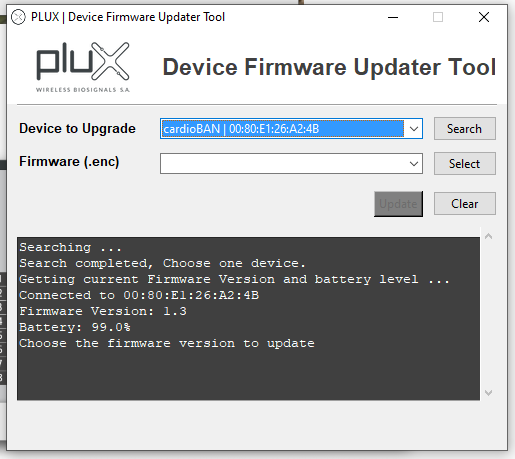
Click on “Search” (1) and select your device from the Device to Upgrade dropdown list (2 & 3).

The tool will connect to the selected device and present the firmware version and battery level. Make sure that your battery is sufficiently charged (> 50%) to avoid interrupting the firmware update due to insufficient battery charge.
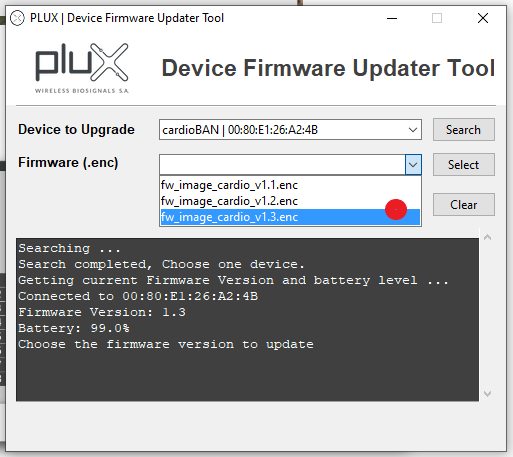
Select the firmware of your choice from the Firmware (.enc) dropdown menu .
Click on the UPDATE button to proceed with the firmware process.
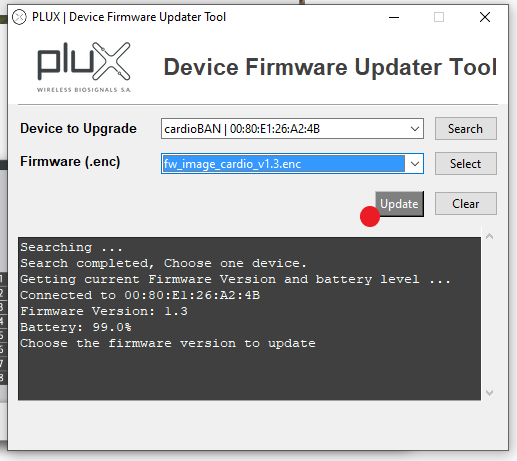

The firmware will be updated on the device. Note that your wearable turns off during the firmware update process, followed by an automatic restart. This behavior is normal.

Note, that in case of an CRC error message, repeat the steps of the firmware update.
Firmware Changelog
Version 1.3
- Improved BLE communication stability and range
- Improved battery lifetime for BLE real-time recordings (increased from 10h to 11:15h of continuous streaming)
- New status and battery LED colors states for more intuitive visual feedback on the current devices state (e.g., charging vs. fully charged, idle vs. recording)
Version 1.2
- Improvements and fixes on the firmware update process.
Version 1.1
- Charging LED behavior update to better respond to charging state.
